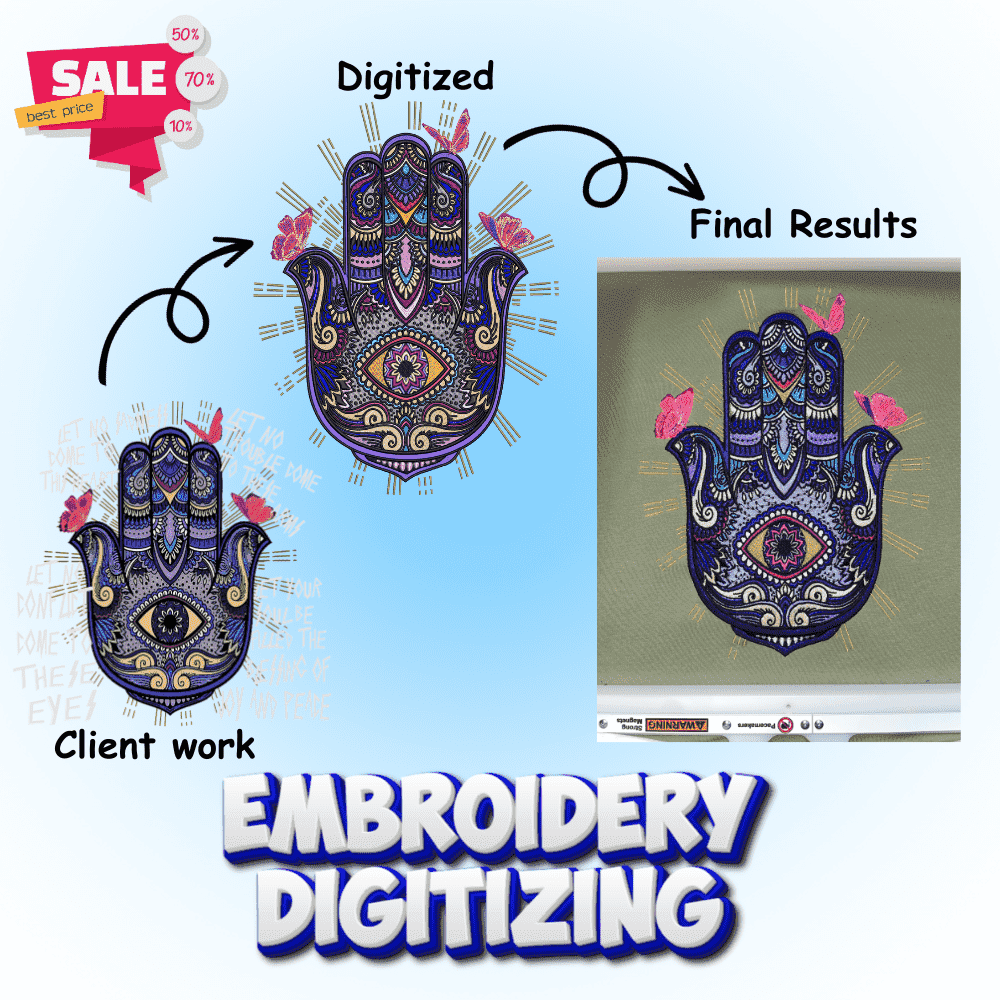
Ever wondered how those perfect embroidery designs you see on shirts, hats, or bags come to life? It’s not magic it’s embroidery digitizing.
If you’ve ever asked yourself, “How do you digitize embroidery designs?” you’re in the right place!
At Embro Prints, we help beginners, small businesses, and embroidery lovers transform digital images into stitch-ready embroidery files for any machine. Let’s break it down in a simple, step-by-step way.
What Is Embroidery Digitizing?
Embroidery digitizing is the process of converting an image or logo into a digital embroidery file that a machine can read and stitch.
Think of it as teaching your machine where to sew, when to stop, and which thread colors to use all through smart software.
This process turns your flat design into something 3D, textured, and visually stunning perfect for custom branding or creative projects.
How Do You Digitize Embroidery Designs (Step-by-Step)
Digitizing might sound complex, but it’s easy once you understand the steps. Here’s a simple breakdown used by professionals like us at Embro Prints:
Step 1: Choose Your Artwork
Start with a high-quality image or logo. Clean, high-resolution files (like PNG or vector) produce the best stitch results.
Step 2: Select Digitizing Software
You’ll need embroidery digitizing software to get started. Popular choices include:
- Wilcom Hatch – professional-grade and beginner-friendly.
- Embird – affordable with great editing tools.
- Brother PE-Design – works perfectly for Brother machines.
(Tip: If you want to learn free options, we’ll share those below!)
Step 3: Set the Size and Hoop Area
Adjust your design according to your machine’s hoop size and placement. Getting this wrong can distort your stitches later.
Step 4: Create Stitch Types
Here’s where creativity meets skill. You’ll define stitch types like:
- Satin Stitch for borders or text
- Fill Stitch for large areas
- Running Stitch for outlines
Each part of your design needs a different stitch type depending on texture and fabric.
Step 5: Choose Colors and Sequence
Decide the thread colors and the order they’ll be stitched in this helps your machine run smoothly and avoids unnecessary jumps.
Step 6: Save in the Right Format
Once your design looks perfect, save it in a machine-readable format such as:
- .DST, .PES, .EXP, .JEF, or VP3
At Embro Prints, we provide all these formats ready for your specific machine.
How Do You Digitize Embroidery Designs for Beginners?
If you’re a beginner, start small maybe with your initials or a simple shape.
Use beginner-friendly software like Inkscape + Ink/Stitch plugin (free) to experiment without investment.
At Embro Prints, we recommend watching a few tutorials or taking a short embroidery digitizing course to understand fabric behavior and stitch density two crucial factors for clean results.
How to Digitize for Embroidery Free
Yes, you can start digitizing embroidery designs for free!
Here are some free tools and embroidery design makers to try:
- Ink/Stitch (open-source, great for learning basics)
- SophieSew (older UI, but still functional)
- Embird Free Trial (use for basic test designs)
But remember, free software often limits stitch control, and precision matters a lot in digitizing. For professional use or client work, upgrading later is always worth it.
How to Make Embroidery Designs for Machine
Once your design is digitized, simply:
- Save it in the right format for your machine.
- Transfer it via USB or memory card.
- Set your fabric and thread colors.
- Hit Start! and watch your digital design come alive through thread.
Embroidery Digitizing Work from Home A Growing Trend
With embroidery machines becoming affordable, many people now work from home offering digitizing services.
If you love design and detail, it’s a profitable side hustle.
At Embro Prints, we even help new freelancers by providing high-quality sample designs and technical support so you can focus on creativity, not confusion.
Embroidery Digitizing Websites & Online Makers
Some popular embroidery digitizing websites like Embro Prints, DigitizingUSA, and ProDigitizing offer instant quote systems.
But what makes Embro Prints stand out is our personal touch every design is reviewed manually to ensure perfect stitch density, color blending, and zero thread breaks.
If you just need quick artwork conversions, you can also try embroidery design maker online free tools but always test the output before using on client work.
Bonus Tip: How to Do Embroidery on Clothes by Hand
Not ready for a machine yet? You can still digitize and then trace your design by hand using fabric markers and embroidery hoops.
It’s slower, but deeply satisfying perfect for creative crafters who love handmade art.
Can AI Help in Embroidery Digitizing?
Absolutely! AI tools can now assist in auto-digitizing designs turning logos into stitch files automatically.
However, AI lacks human touch it can’t judge stitch pull, fabric type, or thread layering as precisely as a human expert.
That’s why at Embro Prints, we combine AI efficiency with manual editing for flawless embroidery results every time.
Final Thoughts
Digitizing embroidery designs is both art and science it blends creativity with technical precision.
Whether you’re a beginner trying to digitize your first logo or a small business needing hundreds of stitch files, Embro Prints makes it simple, fast, and affordable.
Ready to get started?
👉 Explore Embro Prints’ Embroidery Digitizing & Vector Art Services and bring your ideas to life in stitches!
FAQs
1. How do I digitize my own embroidery designs?
You can use software like Hatch or Ink/Stitch to convert your image into stitch data. Start with simple designs, adjust stitches manually, and test on scrap fabric.
2. What is the best software to digitize embroidery designs?
For professionals, Wilcom Hatch and Embird are top choices. Beginners can try Ink/Stitch or SophieSew to learn basics for free.
3. What is the process of embroidery digitizing?
The process includes importing artwork, defining stitches, setting colors, adjusting density, and saving in a compatible format like .DST or .PES.
4. Can AI digitize embroidery designs?
Yes, AI tools can auto-digitize, but they often need human correction. Embro Prints uses AI-assisted tools with expert editing for professional, machine-ready results.