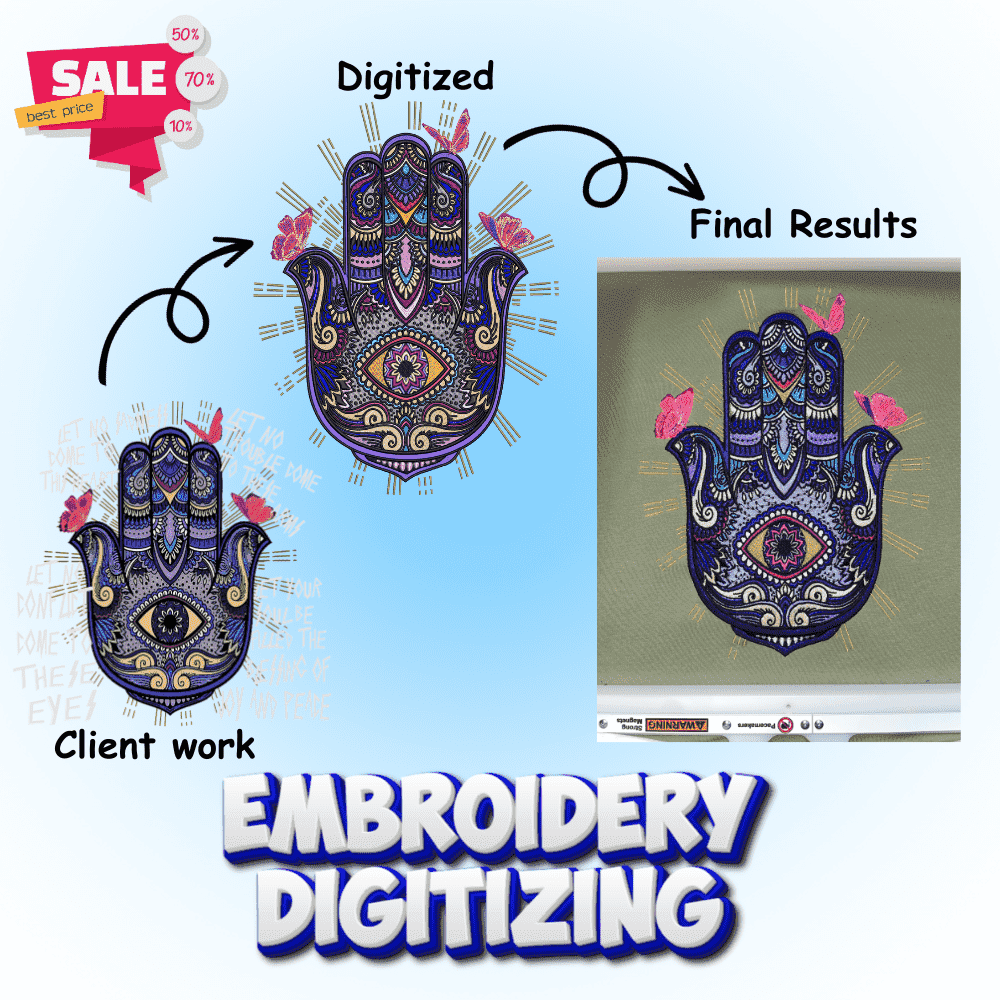
Choosing the right embroidery file format can be the difference between flawless embroidery and frustrating production problems. With numerous formats like DST, PES, JEF, EXP, and others, understanding which format works best for your embroidery machine is essential for achieving professional results.
In this comprehensive guide, we’ll break down the most common embroidery file formats, explain their strengths and limitations, and help you select the perfect format for your specific machine and project needs.
Understanding Embroidery File Formats
Embroidery file formats are digital blueprints that tell your embroidery machine exactly how to stitch a design. These machine embroidery files contain critical information including stitch types, thread colors, stitch sequence, density settings, and needle position instructions.
Think of embroidery file formats like different languages while they all communicate embroidery instructions, each format speaks to specific machine brands with varying levels of detail and compatibility.
DST Format: The Universal Standard
What is DST Format?
DST (Tajima Stitch File) was created by Tajima in the late 1980s and has become the most widely recognized embroidery file format in the industry. This stitch-based format is supported by virtually every commercial and home embroidery machine, making it the universal choice for embroidery digitizing.
Advantages of DST Files
Universal Compatibility: DST files work with almost all embroidery machines including Tajima, Brother, Barudan, SWF, and countless others. This makes DST the safest choice when sharing designs across different machine brands.
Small File Size: Because DST files contain only stitch coordinates without color or design information, they’re compact and transfer quickly between machines. This efficiency is crucial for commercial embroidery operations handling multiple designs daily.
Production Reliability: Commercial embroidery businesses rely on DST for its proven track record. The format’s simplicity reduces potential compatibility issues during production runs.
Industry Standard: Most professional digitizing services and embroidery design vendors provide DST files as standard, ensuring widespread availability of designs in this format.
Limitations of DST Format
No Color Information: DST files don’t store thread color data, requiring manual color assignment on your machine. This can lead to errors if you’re working with multi-color designs.
Limited Editing: Once converted to DST, designs cannot be easily edited or resized. Modifications require returning to the original working file and re-exporting to DST.
No Design Data: DST contains only stitch coordinates no information about underlay, stitch density settings, or original design elements is preserved.
Best Use Cases for DST
DST format excels for commercial embroidery production, sharing designs across different machine brands, simple logo embroidery with few colors, and when maximum compatibility is required. It’s the go-to format for embroidery digitizing services working with diverse client machines.
PES Format: Brother’s Signature Format
What is PES Format?
PES (Brother Industries’ Embroidery System) was developed specifically for Brother embroidery machines and has become one of the most popular formats for home embroiderers, especially in the United States. Brother PE-Design software creates native PES files.
Advantages of PES Files
Color Information Included: Unlike DST, PES files store complete thread color data, automatically setting colors when you load designs onto Brother machines. This eliminates guesswork and reduces setup time.
Supports Complex Designs: PES handles intricate multi-color designs better than DST, storing more stitch and color information for detailed embroidery work.
Wide Software Support: Many embroidery digitizing software programs support PES format, making it easy to find compatible design files and conversion tools.
Perfect for Brother Machines: PES files work seamlessly with Brother and Babylock embroidery machines, ensuring optimal performance and quality.
Limitations of PES Format
Brand Specific: While PES works on some other machines, it’s optimized for Brother equipment. Cross-brand compatibility may require conversion.
Larger File Sizes: The additional color and design information makes PES files larger than DST, though this is rarely a practical concern with modern storage.
Version Compatibility: Different PES versions (#PES0050, #PES0060, etc.) may have compatibility issues with older machine models.
Best Use Cases for PES
PES format is ideal for Brother and Babylock machine users, multi-color custom embroidery designs, home embroidery projects, and when automatic color assignment is desired. If you own a Brother machine, PES should be your primary format.
JEF Format: Janome’s Native Format
What is the JEF Format?
JEF is the native embroidery file format for Janome embroidery machines. Like PES for Brother, JEF provides optimized performance specifically for Janome equipment with full color and stitch information.
Advantages of JEF Files
Complete Design Data: JEF files store both stitch patterns and color information, making them user-friendly for Janome machine operators.
Excellent Precision: Janome machines are known for precision stitching, and JEF format preserves the detail needed for accurate reproduction.
Software Compatibility: Various embroidery design software programs support JEF, making it relatively easy to find or convert designs.
Best Use Cases for JEF
JEF format is essential for Janome embroidery machine users, detailed precision embroidery, and when working primarily within the Janome ecosystem. Janome owners should always request or convert designs to JEF format.
EXP Format: Melco and Bernina’s Choice
What is EXP Format?
EXP (Melco Expanded) format was developed by Melco and is used by both Melco and Bernina embroidery machines. It’s particularly popular in commercial embroidery settings.
Advantages of EXP Files
Editable After Digitizing: Unlike stitch-only formats like DST, EXP files allow editing after initial digitizing. You can add or remove stitches, change colors, and modify stitch types.
Complete Design Information: EXP stores both graphic design data and stitch information, making it more versatile than purely stitch-based formats.
Commercial Standard: Many commercial embroidery operations use Melco machines, making EXP a common professional format.
Limitations of EXP Format
No Color Storage: Despite its advanced features, EXP doesn’t store color information, requiring manual thread color assignment.
Brand Specific: EXP is optimized for Melco and Bernina machines, with limited cross-brand compatibility.
Best Use Cases for EXP
EXP format suits Melco and Bernina machine users, commercial embroidery production, designs requiring post-digitizing edits, and professional embroidery digitizing workflows.
Other Important Embroidery File Formats
VP3 and VIP Formats (Pfaff and Viking)
VP3 is the modern format for Pfaff and Viking/Husqvarna embroidery machines. It stores designs as vector graphics rather than bitmaps, allowing resizing without quality loss. VP3 includes multiple colors and maintains stitch sequence information.
VIP is the legacy format for Viking machines, still supported but gradually being replaced by VP3.
HUS Format (Husqvarna Viking)
HUS format is specific to older Husqvarna Viking machines. It supports multiple colors and color stops, making it suitable for complex European embroidery designs.
ART Format (Bernina)
ART is Bernina’s proprietary format offering advanced features including special stitch types and textures. Modern Bernina machines support both ART and other common formats.
XXX Format (Singer)
XXX format is used by Singer embroidery machines, though less common than other formats in today’s market.
EMB and OFM Formats (Master Working Files)
EMB (Wilcom) and OFM (Tajima) are master working files that store complete design data including stitch density, underlay, color sequences, notes, and all editable information. These formats allow unlimited editing before exporting to production formats like DST or PES.
Think of EMB/OFM as the original Photoshop file, while DST/PES are like JPEGs—ready to use but not easily editable.
How to Choose the Right Format for Your Machine
Match Format to Machine Brand
The simplest rule: use your machine manufacturer’s native format whenever possible. Brother machines perform best with PES, Janome with JEF, Melco with EXP, and Pfaff/Viking with VP3. Native formats ensure optimal compatibility and automatic color settings.
Consider Your Project Complexity
Simple designs (logos, text): DST works fine even without color information, as manual color assignment is quick.
Multi-color intricate designs: Use formats with color data (PES, JEF, VP3) to avoid setup errors and save time.
Designs requiring editing: Choose editable formats like EXP or keep master files in EMB/OFM format.
Think About Sharing and Compatibility
Working with multiple machines: DST offers maximum cross-brand compatibility.
Staying within one ecosystem: Native formats (PES for Brother, JEF for Janome) provide best performance.
Commercial production: DST remains the industry standard for reliability.
Evaluate File Size and Storage
For most users, file size differences are negligible with modern storage. However, commercial operations transferring thousands of designs might prefer DST’s compact size.
Converting Between Embroidery File Formats
Professional Conversion Software
Wilcom TrueSizer: Free tool that converts between most embroidery file formats with high accuracy.
Embrilliance Essentials: Affordable software offering reliable conversion for hobbyists and small businesses.
Hatch Embroidery: Professional-grade software with excellent conversion capabilities and editing tools.
PE-Design (Brother): Converts PES to multiple formats including DST, EXP, JEF, and others.
Online Conversion Tools
Several websites offer free embroidery file format conversion, though quality and reliability vary. For critical projects, professional embroidery digitizing software provides more consistent results.
Conversion Best Practices
Always preserve original files: Keep master copies before converting in case results are unsatisfactory.
Test converted files: Always stitch a sample after conversion to verify quality.
Understand limitations: Some formats lose information during conversion (for example, DST to EMB won’t recover lost color data).
Avoid multiple conversions: Each conversion can degrade quality convert directly from master files when possible.
Common File Format Problems and Solutions
“File Not Recognized” Errors
Problem: Machine rejects embroidery file format.
Solutions: Verify format compatibility with your machine model, check for file corruption and re-download, ensure correct file extension (.pes vs .PES), and update machine firmware if available.
Color Assignment Issues
Problem: Wrong thread colors display on machine.
Solutions: Use formats with color data (PES, JEF) instead of DST, manually assign colors following design specifications, and verify thread charts that match your thread brand.
Size and Stitch Count Limitations
Problem: Design exceeds machine capacity.
Solutions: Check your machine’s maximum stitch count (typically 50,000-200,000 stitches), resize designs in embroidery digitizing software before exporting, and split large designs into multiple hoopings if necessary.
USB Transfer Failures
Problem: The machine won’t read USB drives or files.
Solutions: Format USB drive to FAT32 (required by most machines), avoid hidden partitions or encryption, keep firmware updated, and use smaller capacity USB drives (many machines work better with 2-8GB drives).
Professional Embroidery Digitizing Services
When to Use Professional Services
If you’re struggling with file format compatibility, need designs in multiple formats, require custom embroidery digitizing from artwork, or want to ensure production-ready quality, professional embroidery digitizing services can help.
What Professional Services Provide
Reputable embroidery digitizing services typically deliver designs in multiple formats (DST, PES, JEF, EXP, etc.), include master working files (EMB or OFM) for future editing, optimize designs for specific machines and fabrics, and provide free revisions to ensure satisfaction.
Cost Expectations
Professional embroidery digitizing services charge $10-$100 per design based on complexity. Simple logo digitizing costs $15-$30, while complex multi-color designs run $50-$100+. Volume discounts are typically available.
Future of Embroidery File Formats
Emerging Trends
Standardization efforts: Industry push toward more universal formats reducing compatibility issues.
Cloud-based solutions: Browser-based embroidery design software enabling design access from any device.
AI-enhanced conversion: Machine learning improving automatic conversion quality between formats.
Smart formats: Future formats may automatically adjust for different machines and fabric types.
What Won’t Change
Despite technological advances, machine-specific optimization will likely remain important. Native formats will continue offering best performance for their respective brands. Master working files (like EMB/OFM) will remain essential for serious embroidery digitizing work.
Choosing Your Format: Decision Guide
For Brother/Babylock Users: PES is your primary format. Keep DST versions for compatibility backup.
For Janome Users: JEF format ensures optimal results. Maintain DST for sharing with others.
For Melco/Bernina Users: EXP for daily production. Request EMB/OFM master files for design archives.
For Pfaff/Viking Users: VP3 for modern machines, VIP for legacy equipment.
For Commercial Production: DST remains the reliable standard. Supplement with brand-specific formats as needed.
For Multi-Brand Operations: Maintain designs in multiple formats or invest in quality embroidery digitizing software for reliable conversion.
Conclusion
Understanding embroidery file formats is crucial for successful machine embroidery. While the variety of formats may seem overwhelming initially, the core principle is simple: use your machine’s native format when possible, and keep DST versions for maximum compatibility.
Whether you’re a home embroiderer working on custom projects or running a commercial embroidery business, choosing the right format ensures your designs stitch out perfectly, your production runs smoothly, and your customers receive quality results every time.
Invest in quality embroidery digitizing software for format conversion and editing capabilities. Build a library of designs in your preferred format. And when complexity exceeds your expertise, don’t hesitate to use professional embroidery digitizing services to ensure production-ready files in all formats you need.
The right format, properly prepared, is the foundation of embroidery excellence.
FAQs
Q1: What is the most universal embroidery file format?
DST is the most universal format, compatible with virtually all commercial and home embroidery machines.
Q2: Which embroidery file format is best for Brother machines?
PES format is specifically designed for Brother and Babylock machines and provides automatic color settings.
Q3: Can I convert DST files to other embroidery file formats?
Yes, embroidery digitizing software like Wilcom TrueSizer, Embrilliance, or PE-Design can convert DST to PES, JEF, EXP, and other formats.
Q4: Why won’t my embroidery machine read my USB files?
Common issues include wrong file format, USB not formatted to FAT32, file corruption, or exceeding machine stitch count limits.
Q5: What’s the difference between PES and DST formats?
PES includes thread color information and is Brother-specific, while DST contains only stitch data and works across all machine brands.
Q6: Which embroidery file format can be edited after creation?
EXP format allows post-digitizing editing, while master files like EMB (Wilcom) and OFM (Tajima) offer complete editability.
Q7: How do I know which embroidery file format my machine uses?
Check your machine’s manual or look for format specifications on the manufacturer’s website most machines display compatible formats.
Q8: What does EMB embroidery file format mean?
EMB is Wilcom’s master working file format that stores all design data including underlay, density, and notes for complete editability.
Q9: Can auto digitizing software create files in any format?
Most embroidery digitizing software can export to multiple formats including DST, PES, JEF, EXP, VP3, and others.
Q10: Why do professional digitizing services provide multiple file formats?
Professional embroidery digitizing services provide multiple formats (typically 8-12) to ensure compatibility with any embroidery machine brand.
Q11: What file format should I use for commercial embroidery?
DST remains the commercial standard due to its universal compatibility, small file size, and proven reliability.
Q12: Is the JEF format only for Janome machines?
JEF is Janome’s native format and works best on Janome machines, though some software can convert it for other brands.
Q13: How important is USB formatting for embroidery files?
Most embroidery machines require FAT32 formatting; NTFS or exFAT formatted drives typically won’t be recognized.
Q14: What’s the best embroidery file format for detailed multi-color designs?
Formats with color data like PES (Brother), JEF (Janome), or VP3 (Pfaff/Viking) work best for complex multi-color designs.
Q15: Should I keep master embroidery files in EMB or OFM format?
Yes, always archive master files in editable formats (EMB, OFM) for future modifications while exporting production files in machine-specific formats.